


Custom Gang Sheet Builder
Build Your Own DTF Gang Sheet
Design your ideal gang sheet with our Build Your Own DTF Gang Sheet option. Perfect for maximizing your creativity and budget, this customizable service allows you to arrange multiple designs on a single sheet.
Easy to Customize:
- Choose Your Sheet Size: Select the size that best fits your project requirements.
- Upload Your Designs: Easily upload multiple designs for printing.
- Arrange Your Layout: Use our intuitive online builder to position your designs exactly how you want them.
- Place Your Order: Complete your order and proceed to checkout.
- Shipping Confirmation: Receive a shipping confirmation and track your order's progress.
Key Benefits:
- No Minimums: Order as few or as many sheets as you need.
- Super Fast Shipping: Quick delivery to meet your deadlines.
- Satisfaction Guaranteed: Quality you can trust, every time.
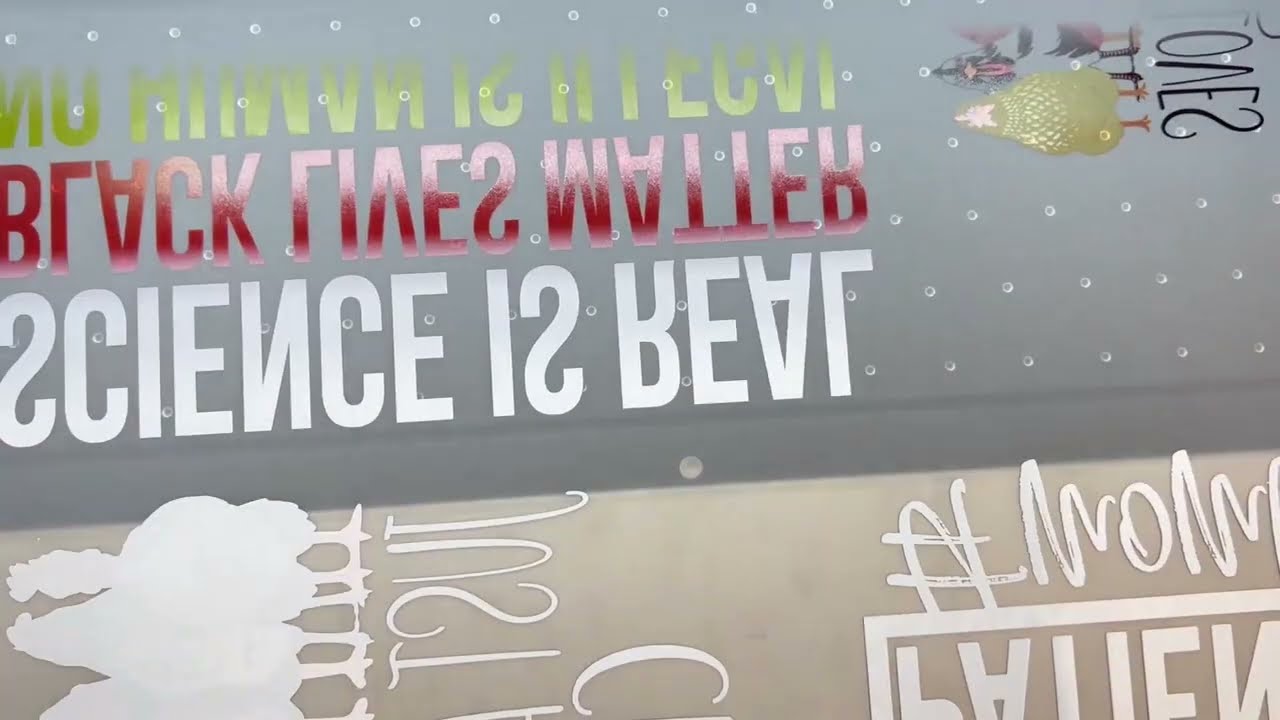
Our high-quality DTF printing ensures vibrant colors and sharp details, making your custom apparel pop. Create a gang sheet that fits your unique needs and enjoy efficient, high-quality printing tailored just for you!

Have questions about this product? Check our FAQ, and if you're supplying your own design, see our artwork & file requirements guide.
Product Details
Ranging from 2ft to 30ft, these gang sheets accommodate orders of all sizes. For beginners or those without design software, the Ninja Gang Sheet Builder is the perfect solution. With a user-friendly interface and an array of customization tools, building a gang sheet has never been easier. Simply upload high-resolution, print-ready artwork, adjust sizes, and easily duplicate images. The builder ensures optimal layout and provides seamless checkout, making it easy to create and order your DTF gang sheets. Embrace creativity and revamp your printing process with our DTF Gang Sheet Builder.
Features
- Auto Build: Build your gang sheet in seconds with our Auto Build feature. Simply upload your images, choose the quantity and size, and hit 'Apply.' The builder will automatically arrange your images, notify you if more sheets are needed, and confirm everything is correctly placed and high resolution before checkout.
- Streamlined Workflow: Simplify your printing workflow with our DTF Gang Sheet Builder. Design, arrange, and optimize your gang sheets effortlessly for a smoother production experience.
- Multiple Sizes: Build custom layouts that optimize space and streamline your printing process across five different sizes.
- Design Flexibility: Experiment with various design combinations on a single sheet. Our Gang Sheet Builder empowers you to explore creativity while maintaining precise print quality.
- Print with Confidence: Ensure consistent and vibrant results with your customized gang sheets. From intricate details to vivid colors, your prints will captivate every time.
How to Order
1. Choose Your Sheet Size: Select the sheet size that best fits your project needs.
2. Upload Your Designs: Quickly upload multiple designs for printing.
3. Arrange Your Layout: Use our intuitive online builder to position and scale your artwork exactly how you want it.
4. Place Your Order: Add your custom gang sheet to your cart and complete checkout.
5. Shipping Confirmation: Receive your shipping confirmation and track your order until it arrives.
Satisfaction Guarantee

Shipping Policy
Processing Time
- Standard Orders: Processed within 1-3 business days.
- Custom Orders: Allow an additional 2-4 business days for personalized items.
Order Tracking
- Tracking Information: You will receive a shipment confirmation email with a tracking number once your order ships.
- Track Your Order: Use the tracking number on our website or the carrier’s site.
Shipping Rates and Delivery Estimates
- Standard Shipping: $5.99, 5-7 business days
- Expedited Shipping: $12.99, 2-3 business days
- Overnight Shipping: $19.99, 1 business day
Note: Delivery delays may occur due to unforeseen circumstances like weather, holidays, or carrier issues.
Shipping Policies
- Lost Packages: Contact us immediately if your package is lost in transit at Hello@prinstationusa.com
- Stolen Packages: We are not responsible for stolen packages. Please check with household members, neighbors, or the carrier if tracking shows delivery but you cannot locate the package.
- Damaged Packages: Report any damaged items within 48 hours of delivery with a photo of the item’s condition to Hello@prinstationusa.com
Incorrect Shipping Addresses
- Address Accuracy: Ensure your shipping information is correct when placing your order.
- Address Changes: Contact us immediately at hello@prinstationusa.com if you need to change your address. We will do our best to accommodate, but cannot guarantee changes if the order has already been processed or shipped.
Contact Us For any questions or concerns regarding shipping, contact our customer service team at Hello@prinstationusa.com or call (346)-464-5819
Thank you for shopping with Printstation!
Effective Date: 1/1/2024
Printstation reserves the right to update or change this policy at any time. Please review this policy periodically for any updates.
Heat Press Instructions
How to Ensure a Professional-Looking DTF Transfer
Follow these five simple steps to achieve a professional-looking DTF transfer every time.
1. No Need to Pre-Press or Pre-Iron
- Removing moisture is unnecessary. Prepress only if you prefer.
2. Position Your Design
- Carefully align your transfer in the desired location on your item.
- Typically, heat-resistant tape is not needed on flat heat presses. However, it's highly recommended for pressing transfers onto hats or using an iron to keep the transfer in place.
3. Press
- Press your transfer with medium pressure at 310°F (155°C) for 15 seconds.
- You cannot damage the transfer by using more heat, pressure, or time within reason, but too much heat can damage your garment. Always test first and use parchment paper or a protective guard sheet to protect your garment from direct heat.
4. Let It Cool, Then Peel
- Allow your transfer to cool to the touch (minimum of 15-30 seconds) after pressing.
- Once cool, lift the transfer from one corner and gently peel back. Ensure every part of your design adheres to your item. If any part does not transfer:
- If the transfer was cool when peeling, it indicates insufficient heat, pressure, or time. Press again with more pressure and time (+5-10 seconds).
- If necessary, increase the heat in 15°F increments until you find the right balance. Pressing multiple times won't damage the transfer.
5. Final Press & Wash Instructions
- Place parchment paper or a single layer of t-shirt material over the design and press again for 15 seconds. This softens the design, increases durability, and removes shine.
- For a shiny finish, cover with a protective guard sheet during the final press.
- When washing, flip the shirt inside out, wash on cold, and dry on low heat or hang dry.
Art Upload Recommendations
All file types accepted, vector files are always preferred, raster art should be at least 300 dpi.
Frequently Asked Questions
Find answers to common questions about our DTF printing services, gang sheets, and custom transfers
What is a DTF gang sheet builder?
A DTF gang sheet builder is an online tool that allows you to arrange multiple designs on a single sheet of DTF transfer film. This maximizes efficiency, reduces waste, and saves money by printing all your designs together in one run.
How do I use the custom gang sheet builder?
Simply choose your sheet size, upload your designs (PNG, JPG, or PDF), arrange them using our intuitive drag-and-drop interface, and place your order. Our builder automatically checks resolution quality and notifies you if more sheets are needed.
What file formats do you accept?
We accept PNG, JPG, and PDF files. For best results, use PNG files with transparent backgrounds at 300 DPI resolution. Vector files are always preferred for the sharpest print quality.
Is there a minimum order requirement?
No! We have no minimum order requirements. Order as few as one gang sheet or as many as you need for your project. This flexibility makes us perfect for both small businesses and large-scale production.
How long does production and shipping take?
Most orders ship within 24-48 hours of placement. Standard shipping takes 3-5 business days, and we offer expedited options for rush orders. You'll receive tracking information as soon as your order ships.
Can I save my gang sheet layout for future orders?
Yes! Once you create a gang sheet layout, you can save it and reorder the exact same configuration in the future, making repeat orders quick and easy.
What sizes are available for gang sheets?
We offer multiple sizes ranging from 22"x24" up to 22"x30 feet. Choose the size that best fits your project needs and budget.
How do I apply DTF transfers to garments?
Use a heat press at 300-320°F with medium pressure for 10-15 seconds. Let cool, peel the film, and press again for 5 seconds for maximum durability. Detailed instructions are included with every order.
What materials can DTF transfers be applied to?
DTF transfers work on virtually any fabric including cotton, polyester, blends, tri-blends, nylon, denim, and even leather. They're perfect for t-shirts, hoodies, hats, bags, and more.
How durable are DTF gang sheet prints?
Our DTF prints are tested and certified for 100+ washes without fading, cracking, or peeling. They maintain vibrant colors and sharp details wash after wash.


